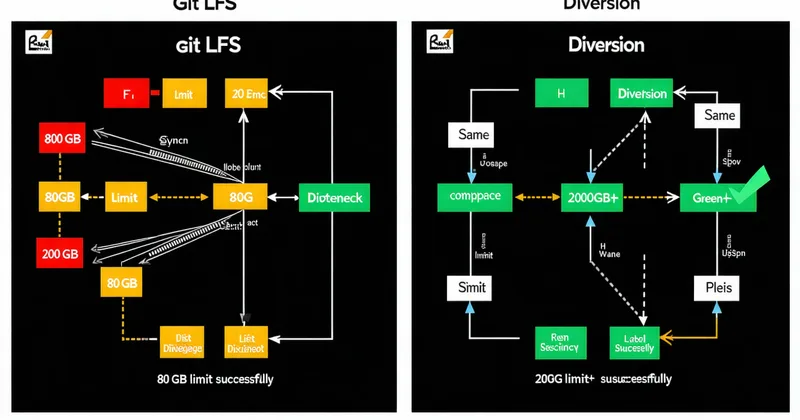
Git LFS is not a bad piece of software. For a 10-person Unity team with a 15 GB repo and most of their binary assets as PNGs and FBX exports, it works. The problems arrive at a predictable point: somewhere between 40 GB and 80 GB of LFS-tracked assets, your team starts hitting failure modes that aren't in the documentation and aren't going to be fixed by upgrading your LFS server.
This is a comparison of how LFS works architecturally versus how Diversion approaches the same problems. We're not writing this to make LFS look bad — we're writing it because teams considering either option deserve a clear picture of where the tradeoffs actually land.
How LFS Stores Files (and Why the Pointer Architecture Matters)
When you add a file to Git LFS tracking, Git stores a small text pointer file in the repository's object database in place of the actual binary content. That pointer contains an OID (SHA-256 of the file content) and the file size. The actual binary content lives in the LFS server — either GitHub's backend, a self-hosted git-lfs-server, or a compatible provider.
The pointer is keyed on content, not on path. This is the architectural fact that explains several LFS limitations:
- LFS cannot diff the content of two binary versions. It has the SHA-256 of each version, but no structural knowledge of what changed between them.
git diffon an LFS-tracked.uassetshows you two pointer files diffing — not the asset. - LFS locking was added later as a separate concern. The
git lfs lockcommand exists, but it's a bolt-on to the pointer system — it doesn't integrate into Git's merge logic. A locked file can still be modified locally; the lock is advisory at the push level, not enforced at the workspace level. - Every version of every file is stored as a full object. LFS has no delta storage mechanism. Version 1 of
CityHub.umapat 300 MB and version 2 at 302 MB both occupy their full sizes in the LFS object store. 100 incremental commits to the same level file = 100× the file size in storage, minus whatever deduplication your provider does at the block level (GitHub does some; self-hosted stores typically don't).
The Scale Cliff: What Happens at 80GB+
At small scale, LFS's full-object model is tolerable because your total storage cost stays bounded and bandwidth is fast. The scale cliff appears when you combine total storage size with team size with frequency of asset changes.
Consider a growing Unreal team: 20 people, a project that's been in development for 18 months, an LFS store that has grown to ~85 GB. Each developer's first clone of the repository requires their LFS client to fetch every tracked binary file at HEAD — that's an 85 GB download even for someone joining temporarily. There's no concept of "sparse sync" in standard Git LFS; you can use GIT_LFS_SKIP_SMUDGE=1 to defer downloading, but then your first git checkout of any LFS file triggers individual downloads, which bypasses any batching efficiency your LFS server provides.
The larger problem is concurrent fetch load. Five developers syncing the same large branch simultaneously send parallel requests to your LFS server. If your LFS backend is a self-hosted server or a shared GitHub organization account, you will eventually hit rate limiting or bandwidth saturation — often at exactly the wrong moment (the morning of an internal milestone build).
Locking: What It Actually Does in LFS
Git LFS locking gives you the ability to run git lfs lock path/to/file.umap, which registers that file as locked by your user on the LFS server. If another developer tries to push a commit that modifies a file you hold a lock on, the push is rejected.
The enforcement gap: the push rejection is server-side, but local modification is not prevented. An artist can open CityHub.umap in Unreal Editor, make substantial changes, and commit locally — all without hitting any lock warning. The conflict only surfaces at push time. If they've been working on it for three days and then discover it was locked, you have a real problem: three days of work on a locked file with no good merge path on a binary asset.
Diversion's lock model is different: lock state is visible at workspace sync time, before a file is modified. When you run diversion sync, files held by other users are flagged as read-only in your workspace. Your editor can't create the dirty state that leads to a three-day conflict.
The Merge Story
Git's merge logic is text-oriented: it runs a 3-way merge on line-delimited text files. For LFS-tracked binaries, the merge fallback is "take one side, discard the other, mark as conflict." There is no 3-way binary merge; the concept doesn't map. When two developers each modify the same .umap and both push, a merge attempt produces: binary file conflict, choose theirs or yours.
The LFS community recommendation for this is: "use file locking to prevent concurrent edits." That's correct advice. The problem is that locking in LFS is opt-in, per-file, and enforcement is only at push time — so the recommendation works only if your team has established discipline around it and never misses a lock acquisition.
We're not saying locking is the wrong answer to binary merge conflicts. We're saying the LFS locking implementation assumes perfect human compliance, and the failure mode when someone misses a lock is a three-day lost work event.
Where LFS Still Makes Sense
If your team uses Git already, your codebase is primarily source code with a moderate volume of binary assets (textures, audio) that don't change simultaneously across many team members, and your total LFS store size stays below roughly 40–50 GB, Git LFS is a reasonable answer. The operational overhead is low, GitHub's hosted LFS is reliable, and your developers don't have to learn a new toolchain.
The tradeoffs become material when: you have a large open-world Unreal project where level files are the primary work artifact; multiple level designers are working in overlapping areas; your depot grows past the 80 GB range; or you have a build farm that needs deterministic sync behavior (LFS's per-file download model makes deterministic build-farm syncs harder to guarantee without custom scripting).
What We Built Instead
Diversion tracks binary assets using a content-addressed object store with delta compression at the structural export level — so you pay incremental storage costs for incremental edits, not full-file storage per revision. Locks are enforced at workspace sync time, not at push time. Branch merges carry asset-level metadata so you can see which changes came from which branch before committing to a merge resolution strategy.
Migrating from Git LFS to Diversion involves re-importing your LFS objects into Diversion's object store and remapping workspace state. It's a one-time operation, not a rolling migration, and your Git history remains intact for reference. If you're evaluating whether to make that move, the practical question to answer is: how many times in the last six months has an LFS limitation directly caused lost work or build delays? If the answer is more than twice, the migration cost is likely worth it.