From P4V workspace to Diversion in one morning.
Diversion maps directly to Perforce concepts: depot, workspace, changelist. Your .p4config imports automatically. No retraining week. Your team gains block-level binary diffs, real-time exclusive locks, and bake-aware merges without relearning how to branch.
The migration path.
Install the CLI
One-line install for macOS, Windows, and Linux. No dependency hell — single static binary.
Connect your depot
Point Diversion at your existing Perforce server. It reads your .p4config and maps changelists to Diversion commits automatically.
Map workspace
Your P4 client spec maps 1:1 to a Diversion workspace. Existing clientspec files are imported directly — no manual path remapping.
First sync
Diversion streams only the changed blocks since your last P4 sync. On first run it computes your working set delta and syncs in parallel from the delta cache nearest your build farm.
Lock a binary
Before editing any exclusive binary, run diversion lock. The server records your lock. Everyone on the team sees it instantly in CLI, IDE plugin, or the web UI.
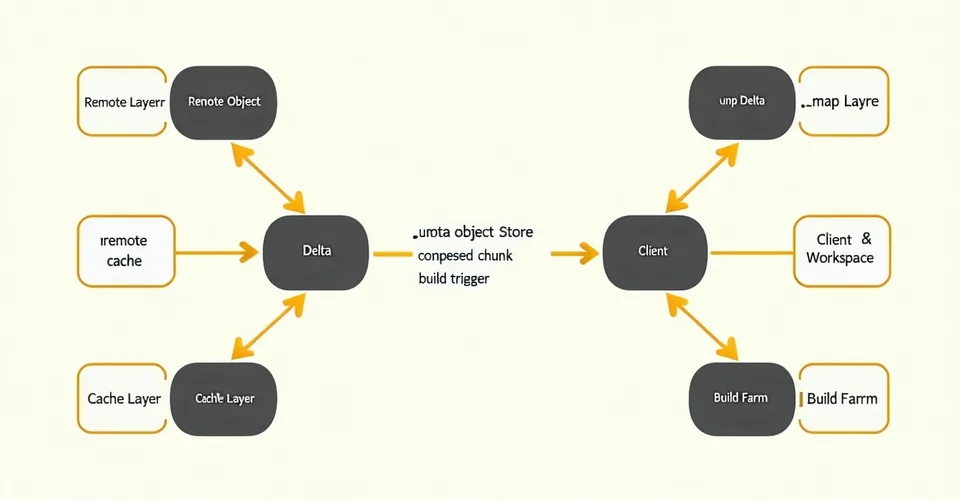
How the object store works.
Every asset is sharded into fixed-size content-addressed blocks. Only changed blocks transfer. The delta cache layer sits close to your build farm, so sync is a local hop not a transatlantic pull.
CLI for Unreal and Unity.
Install to first sync in under 10 minutes.
The quickstart walks through install, depot connect, and your first diversion sync — including how to import your existing P4 client spec.