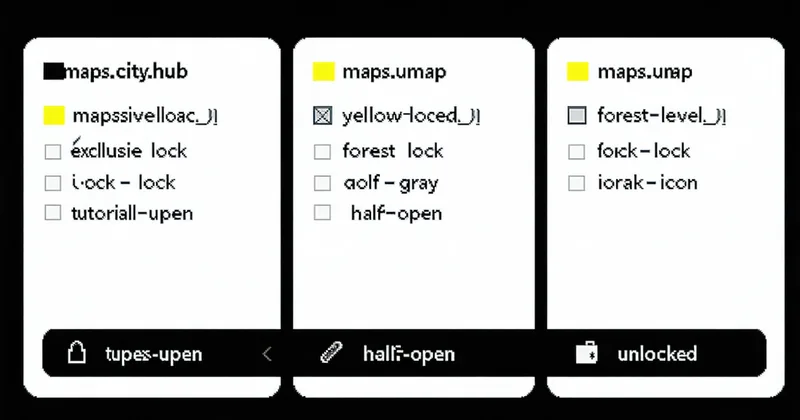
File locking on binary assets is one of those topics where every game studio eventually develops a house rule, and the house rules diverge significantly. Some teams lock aggressively — every .umap must be locked before opening. Others use advisory locks as a communication mechanism but don't enforce them at the toolchain level. A few teams try to avoid locking entirely and rely on sub-level partitioning to keep artists out of each other's files.
There's no single correct answer. But there is a set of tradeoffs that are worth understanding before you land on a policy, because the wrong locking strategy for your team size and workflow will generate friction in ways that are hard to diagnose after the fact.
Exclusive Locks: When They're Right
An exclusive lock means one user holds write access to the file; everyone else gets a read-only copy. In Perforce, this is p4 lock with allwrite off on the relevant file type. In Diversion, diversion lock path/to/Level_CityHub.umap flips that file to read-only in all other workspaces on the next sync.
Exclusive locks work best for:
- Large persistent levels where the entire file is the work unit. If a level designer is doing a major layout pass on
Overworld_P.umap, exclusive locking makes sense because "two people editing the same persistent level simultaneously" will always produce an irresolvable conflict on a binary file. - Files that are edited infrequently but are high-risk. A
GameMode_BP.uassetthat one gameplay programmer touches every few weeks doesn't need a standing lock policy — but if someone announces they're doing a major refactor, exclusive lock for the duration is the right call. - Teams with 10 or fewer level designers where lock contention is visible and manageable. At small team sizes, "who has what locked" is common knowledge. Exclusive locking overhead is low.
The failure mode for exclusive locking is lock hoarding. An artist opens a level at 9am, locks it, gets pulled into a meeting, and the lock sits idle until 3pm. Meanwhile a technical artist needs to fix a lighting actor in that level and can't. This is a people process problem more than a toolchain problem — but your locking implementation should make the lock state highly visible (who holds it, since when) so social pressure has a chance to resolve idle locks before they block someone.
Advisory Locks: Coordination Without Enforcement
Advisory locks register intent without enforcing it. The lock shows up in the lock list — diversion lock --list or the equivalent in P4V — but doesn't prevent other users from opening or even submitting modifications to the file. The enforcement is social, not technical.
Advisory locks are appropriate when your team has a culture of checking lock status before starting work, but you don't want hard enforcement creating blocks during crunch. They also work reasonably well for sub-level files that are frequently modified by multiple people in short sessions — if an environment artist locks SubLevel_Forest_01.umap for an hour and then releases it, the overhead of an exclusive lock model (checking out, locking, returning the lock) becomes friction that slows work down.
We're not saying advisory locks are lax. They're the right tool when the team has enough trust and visibility into the lock state that implicit coordination works. When that trust breaks down — new team members, remote contractors, crunch-mode tunnel vision — advisory locks fail silently and you get conflicts that shouldn't have happened.
Branch-Scoped Locks: Isolation Without Blocking Main
A branch-scoped lock is an exclusive lock that applies within a specific branch, but doesn't affect lock state on other branches. This is a useful model when your team uses a feature-branch workflow: an artist branches off main to do a major environment pass, locks the relevant levels on their branch, and works without competing with others on main.
The operational detail to get right: lock scope on merge. When the feature branch merges back to main, the lock on the feature branch should not automatically transfer to main. If it does, you have a situation where a merge commit introduces a lock state on main that nobody intentionally set — which is confusing and blocks downstream work unexpectedly.
Diversion's lock model stores lock records per-branch. Merging branch state to main transfers file content but not lock metadata — lock state on main is always explicitly set on main. This is the behavior you want; it prevents the "phantom lock after merge" problem.
Lock Duration and Release Discipline
The operational question teams rarely address explicitly before they hit problems: how long should a lock stay held, and what triggers its release?
A few patterns that work in practice:
- Session-scoped locks. Lock when you open a file; release when you submit or close the editor. Works well with toolchain integration — if your version control client can watch editor process state, it can offer to release the lock automatically when the editor closes. The risk: crashes that leave locks unreleased. Need an admin override workflow for this case.
- Task-scoped locks. Lock when a Jira/Linear/Notion task is picked up; release on task close. Gives you lock duration visibility tied to actual work progress, not editor state. Overhead is higher but appropriate for longer-duration work like a major biome rework that spans multiple editing sessions.
- Daily lock audits. At end of day, any lock held for more than N hours with no recent commit on that branch gets an automated Slack notification to the lock holder. Doesn't force release, but surfaces idle locks before they block tomorrow's work.
Designing Your Team's Lock Policy
A working policy answers three questions concretely: which files require locks before editing (mandatory), which files recommend locks but don't enforce (advisory), and what the lock release process is for each category.
For most growing Unreal studios, the practical starting point is: persistent levels and sublevel root files are mandatory-exclusive, Blueprint assets and audio files are advisory, and all other content is unlocked by default. This gets you coverage on the highest-risk binary files without creating lock overhead on the long tail of assets that are rarely contested.
The policy should live somewhere your whole team sees it — not just in the VCS toolchain configuration. A pinned Notion doc, a channel topic, a section in your studio's onboarding checklist. Lock policies only work when the whole team, including people who joined last month, knows they exist and why they exist.