// migration guide

From P4V workspace to Diversion in one morning.

Diversion maps directly to Perforce concepts: depot, workspace, changelist. Your .p4config imports automatically. No retraining week. Your team gains block-level binary diffs, real-time exclusive locks, and bake-aware merges without relearning how to branch.

Read the Quickstart Get Access
migration preview
# Install and connect your existing Perforce depot curl -sf https://diversionhq.org/install | sh ✓ diversion 0.9.1 installed diversion depot connect p4://perforce.studio.internal:1666 ✓ Depot connected: 1,204,832 objects indexed diversion sync ✓ 12,847 objects synced (183 GB) in 4m 12s
// five steps

The migration path.

01

Install the CLI

One-line install for macOS, Windows, and Linux. No dependency hell — single static binary.

install
# macOS / Linux curl -sf https://diversionhq.org/install | sh # Windows (PowerShell) iwr https://diversionhq.org/install.ps1 | iex
02

Connect your depot

Point Diversion at your existing Perforce server. It reads your .p4config and maps changelists to Diversion commits automatically.

connect
diversion depot connect p4://perforce.studio.internal:1666 ✓ Depot connected: 1,204,832 objects indexed
03

Map workspace

Your P4 client spec maps 1:1 to a Diversion workspace. Existing clientspec files are imported directly — no manual path remapping.

workspace
diversion workspace init --from-p4 jsmith-dev ✓ Workspace jsmith-dev mapped (218 views)
04

First sync

Diversion streams only the changed blocks since your last P4 sync. On first run it computes your working set delta and syncs in parallel from the delta cache nearest your build farm.

sync
diversion sync → Computing deltas from last P4 sync... ✓ 12,847 objects synced (183 GB) in 4m 12s
05

Lock a binary

Before editing any exclusive binary, run diversion lock. The server records your lock. Everyone on the team sees it instantly in CLI, IDE plugin, or the web UI.

lock
diversion lock maps/cityhub.umap ✓ Lock acquired: maps/cityhub.umap Holder: jsmith — expires in 4h (auto-extend on commit)
// under the hood

How the object store works.

Every asset is sharded into fixed-size content-addressed blocks. Only changed blocks transfer. The delta cache layer sits close to your build farm, so sync is a local hop not a transatlantic pull.
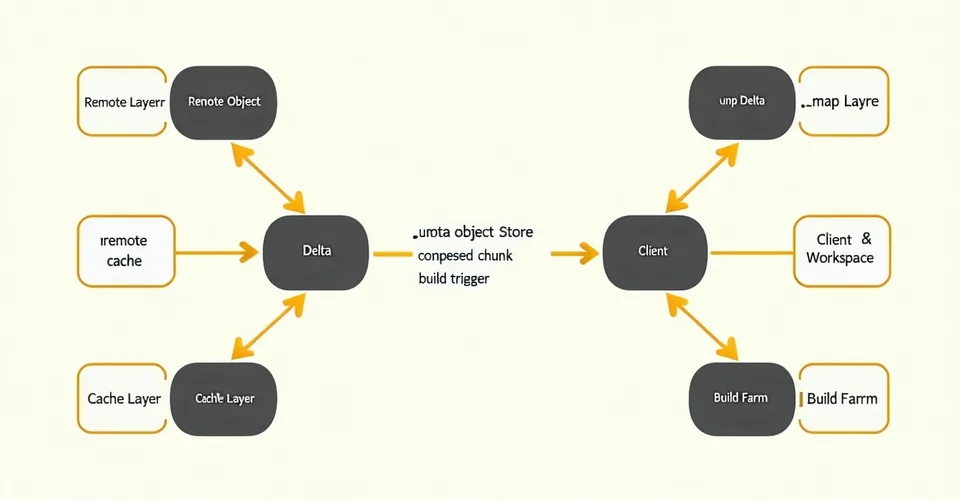
Architecture flow diagram showing how Diversion syncs from object store through delta cache to client workspace and build farm
// engine tabs

CLI for Unreal and Unity.

# Lock a .umap before editing in UE5 editor diversion lock Content/Maps/City_Hub.umap --type exclusive ✓ City_Hub.umap locked (exclusive) by jsmith # Branch from main for a feature diversion branch create feature/cityhub-rework --from main ✓ Branch created: feature/cityhub-rework # Sync with bake-freshness detection diversion merge main --check-bakes ⚠ Stale lighting bake detected: City_Hub_LightingData.uasset main has fresher bake (2026-04-11 09:32). Recommend: use main version.
# Lock a Unity scene before editing diversion lock Assets/Scenes/MainCity.unity --type exclusive ✓ MainCity.unity locked (exclusive) by rperez # Sync large assets from remote diversion sync --filter "*.unity *.prefab *.fbx" ✓ 4,218 objects synced (38 GB) in 1m 47s # Post-sync hook fires Unity Cloud Build ✓ post-sync hook: unity-cloud-build triggered (job #2847)

Install to first sync in under 10 minutes.

The quickstart walks through install, depot connect, and your first diversion sync — including how to import your existing P4 client spec.

Read the Quickstart →